Setting up MCP server
With Database Polling and State Normalization set up, the app accepts changes from outside systems. This page adds an MCP server, so MCP clients can work with the app.
The server uses createMcpHandler from the official MCP SDK, @modelcontextprotocol/server, in a Next.js API route. Its registerTool takes a derived tool’s inputSchema (a Standard Schema with JSON Schema) as is.
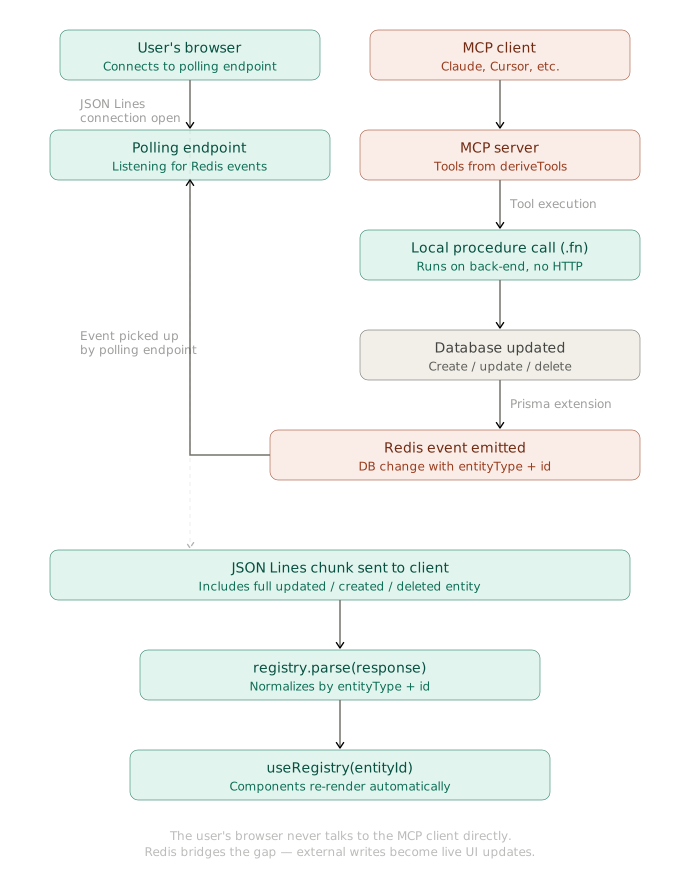
As on the other pages, the deriveTools function from the vovk package derives the server’s tools from the controllers. See Deriving AI Tools.
import { createMcpHandler, McpServer } from '@modelcontextprotocol/server';
import { deriveTools, ToModelOutput } from 'vovk';
import TaskController from '@/modules/task/task-controller';
import UserController from '@/modules/user/user-controller';

const tools = deriveTools({
  modules: {
    UserController,
    TaskController,
  },
  toModelOutput: ToModelOutput.MCP,
  onExecute: (result, { name }) => console.log(`${name} executed`, result),
  onError: (e, { name }) => console.error(`Error in ${name}`, e),
});

const handler = createMcpHandler(() => {
  const server = new McpServer({ name: 'realtime-kanban', version: '1.0.0' });
  tools.forEach(({ title, name, execute, description, inputSchema }) => {
    server.registerTool(name, { title, description, inputSchema }, execute);
  });
  return server;
});

const authorizedHandler = (req: Request) => {
  const { MCP_ACCESS_KEY } = process.env;
  const accessKey = new URL(req.url).searchParams.get('mcp_access_key');
  if (MCP_ACCESS_KEY && accessKey !== MCP_ACCESS_KEY) {
    return new Response(
      'Unable to authorize the MCP request: mcp_access_key query parameter is invalid',
      { status: 401 },
    );
  }

  return handler.fetch(req);
};

export { authorizedHandler as GET, authorizedHandler as POST };
The code above is fetched from GitHub repository.
For simple protection, the server authorizes requests by the mcp_access_key query parameter. When the MCP_ACCESS_KEY environment variable is set, the parameter must match it.
The MCP server runs at the /api/mcp endpoint. MCP clients connect to http://localhost:3000/api/mcp?mcp_access_key=your_access_key. Replace your_access_key with your key, and localhost with your server address if needed.
Running the MCP Inspector Locally
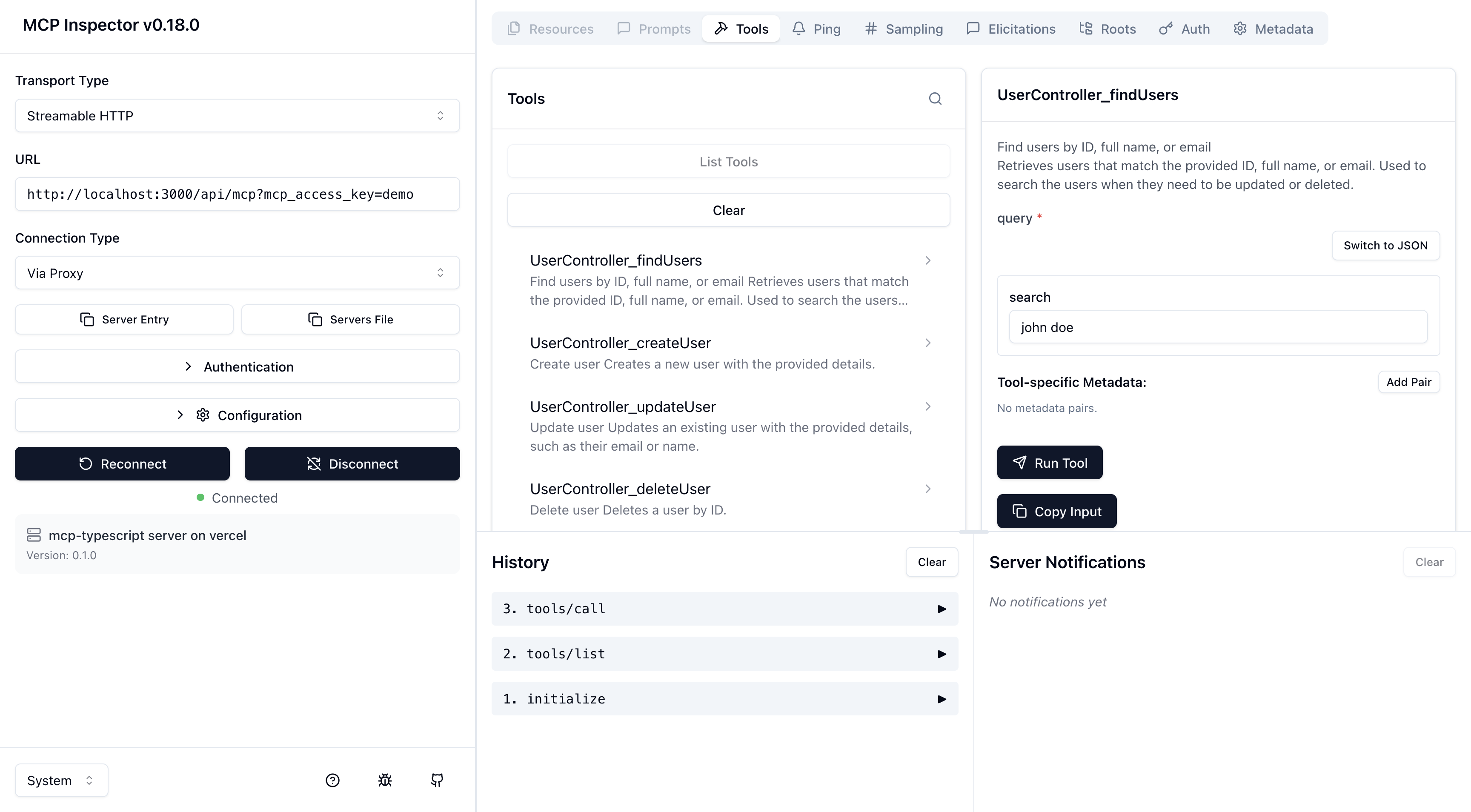
Start the MCP Inspector to try the MCP server. The app must be running locally.
npx @modelcontextprotocol/inspectorIn the Inspector, set the server configuration, select a tool, and run it to see the result.