OpenAPI Specification and @operation Decorator
Vovk.ts generates an OpenAPI specification from the procedures that have an operation object. It fills parameters, requestBody and responses from the validation models. The @operation decorator gives a procedure its operation object, with metadata such as summary, description and tags. @operation.tool and @operation.error give it one too. A procedure without any of them is left out of the specification, and deriveTools makes no tool of it either. The decorator takes the OperationObject type from openapi3-ts/oas31 , plus the Vovk.ts x-tool property for the deriveTools function.
import { procedure, put, prefix, operation } from 'vovk';
import { z } from 'zod';

@prefix('users')
export default class UserController {
  @operation({
    summary: 'Update User',
    description: 'Update user information',
  })
  @put('{id}')
  static updateUser = procedure({
    // ...
  });
}
The validation models of a procedure map to the operation object like this:
params→parameterswithin: "path", each one required. A{name}in the path that noparamsmodel describes is a string parameter.query→parameterswithin: "query". An object parameter getsstyle: "deepObject", since the server readsfilter[status]=sold. An array parameter keeps the default style,form(tags=a&tags=b), and the server reads a singletags=aas a one-item array. OpenAPI has no style for an array of objects; the server readsitems[0][a]=x, the form that Vovk.ts clients send.body→requestBodywith theapplication/json(or customcontentType) content type.output→responseswith status200and theapplication/jsoncontent type.iteration→responseswith status200and theapplication/jsonlcontent type, with an example of three lines. The server sendstext/plainunless theAcceptheader includesapplication/jsonl.
A schema with an id, such as a Zod schema with .meta({ id }), goes to components.schemas. In a name, each character OpenAPI doesn’t allow becomes _: User Profile becomes User_Profile. When another schema already has the name, including one in openAPIObject.components, the RPC module, procedure and slot names go in front of it: UserRPCCreateUserBodyUser.
Configuring the OpenAPI Specification
Configure the specification in the vovk.config file, with the outputConfig.openAPIObject option. The object is merged into the generated specification, so you can set global properties such as info and servers.
// @ts-check

/** @type {import('vovk').VovkConfig} */
const config = {
  outputConfig: {
    openAPIObject: {
      info: {
        title: 'My app API',
        description: 'API for My App hosted at https://myapp.example.com/.',
        license: {
          name: 'MIT',
          url: 'https://opensource.org/licenses/MIT',
        },
        version: '1.0.0',
      },
      servers: [
        {
          url: 'https://myapp.example.com',
          description: 'Production',
        },
        {
          url: 'http://localhost:3000',
          description: 'Localhost',
        },
      ],
    },
  },
};

module.exports = config;
You can also set openAPIObject for each segment, with outputConfig.segments.[segmentName].openAPIObject.
// @ts-check
/** @type {import('vovk').VovkConfig} */
const config = {
  outputConfig: {
    segments: {
      admin: {
        openAPIObject: {
          info: {
            title: 'Admin API',
            description: 'API for Admin segment.',
            version: '1.0.0',
          },
        },
      },
    },
  },
};
Using the OpenAPI Specification
The generated RPC client exports an openapi object from its openapi module. For the composed client, it holds the specification of the whole back end. With the segmented client, each segment also exports its own specification.
import { openapi } from '@/client/openapi'; // composed clientimport { openapi } from '@/client/admin/openapi'; // segmented clientUse the specification as a variable, or serve it as JSON from a controller in a static segment:
import { get } from 'vovk';
import { openapi } from '@/client/openapi';

export default class OpenApiController {
  @get('openapi.json')
  static getSpec = () => openapi;
}
A plain Next.js route handler can serve the spec too. Then you register no controller, and the route stays out of the generated schema:
import { openapi } from '@/client/openapi';

export const GET = () => Response.json(openapi);
The openapiJson template writes openapi.json as a file of its own, without a client. Use it to serve the spec as a static file or to pass it to another tool:
npx vovk generate --from openapiJson --out ./publicOn the client side, any OpenAPI documentation generator works. Scalar is recommended, because Vovk.ts adds code samples for the generated RPC modules to the spec.
import { ApiReferenceReact } from "@scalar/api-reference-react";
import "@scalar/api-reference-react/style.css";

async function App() {
  return (
    <ApiReferenceReact
      configuration={{
        url: "/api/static/openapi.json"
      }}
    />
  );
}

export default App;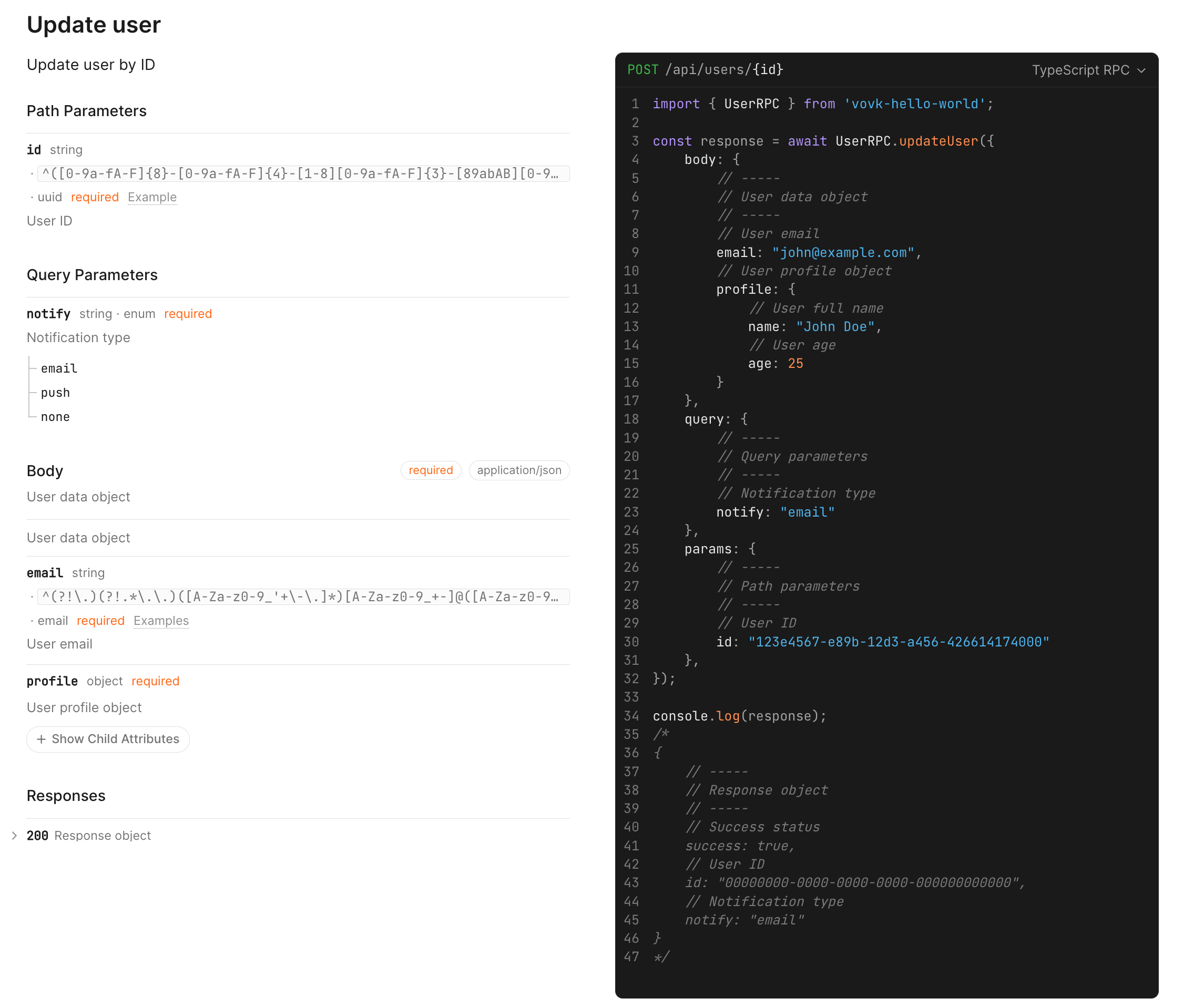
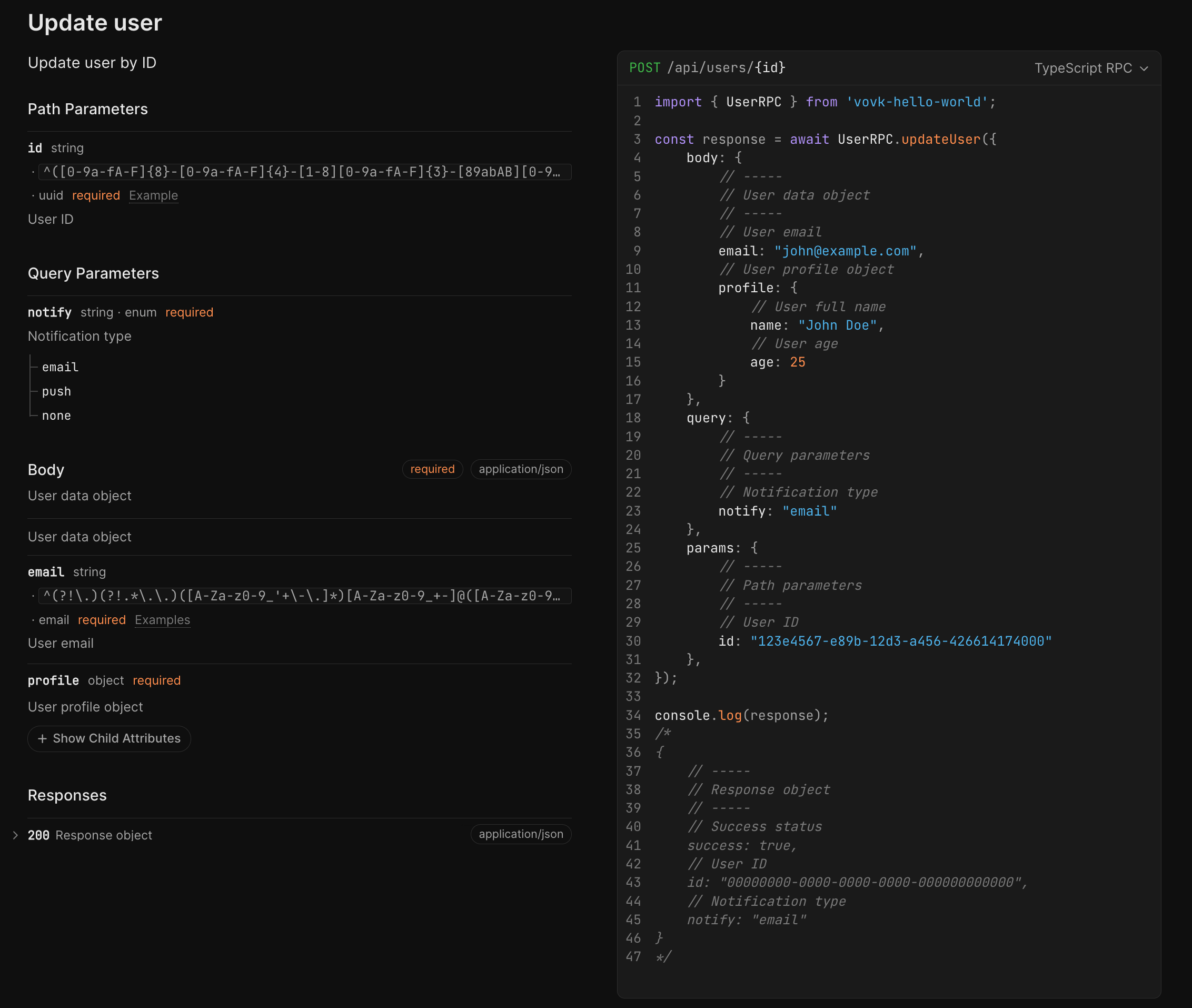
For a live demo, see the “Hello World” application spec . The “Hello World” page has the details.
@operation.tool sets attributes for the deriveTools function. They go under the x-tool key of the operation object.
import { procedure, put, operation } from 'vovk';

export default class UserController {
  @operation.tool({
    name: 'update_user',
    description: 'Update user information in the system',
  })
  @operation({
    summary: 'Update User',
    description: 'Update user information',
  })
  @put('{id}')
  static updateUser = procedure({
    // ...
  });
}
For details, see the deriveTools documentation.